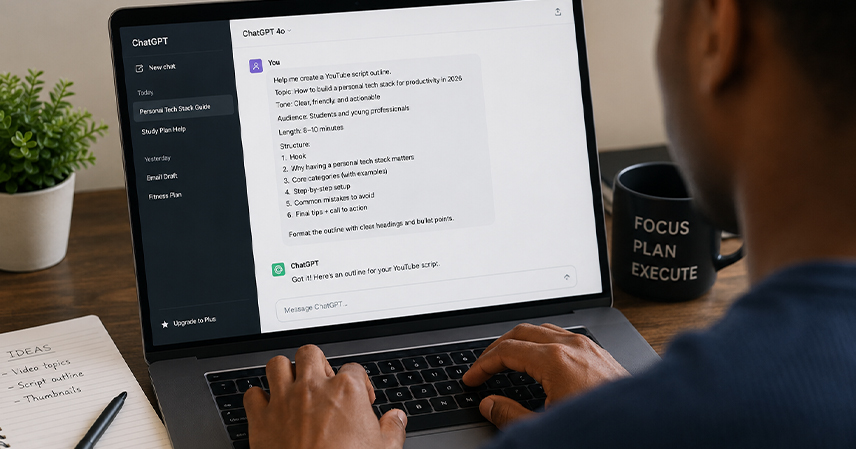
Most people who try an AI tool and walk away unimpressed have not actually tested the tool. They have tested a vague instruction. Typing “write me an email” or “help me plan my week” into a chatbot and getting back something generic is not a sign that AI is overhyped. It is a sign that the prompt did not give the model enough to work with. The gap between a mediocre AI response and a genuinely useful one is rarely the model itself. It is almost always the quality of the instruction behind it.
This matters more now than ever, because AI tools have moved from novelty to daily utility. People use them to draft messages, summarize documents, plan schedules, brainstorm ideas, and troubleshoot problems at work and at home. The people getting real value out of these tools are not necessarily more technical than everyone else. They have simply learned to phrase requests in a way that removes ambiguity. This article breaks down what makes a prompt effective and gives you a repeatable structure you can apply to nearly any everyday task.
Why prompt quality matters more than model choice
There is a common assumption that better results come from switching to a more advanced or expensive AI model. In practice, the instruction usually matters more than the engine behind it. A well-structured prompt sent to a basic model will often outperform a vague prompt sent to a premium one, because the model can only work with what it is given. It cannot read your intentions, your preferences, or the context sitting in your head. It can only respond to the words on the screen.
This is the same principle behind automating repetitive tasks with AI: the automation only works as well as the instructions defining it. Whether you are asking AI to write, summarize, plan, or analyze, the underlying skill is the same. You are translating a mental task into a clear, specific request. Once you understand that skill, it transfers across every tool you use, from chatbots to writing assistants to project planning apps.
The four elements of a strong prompt
A strong prompt does not need to be long, but it does need to cover a few essentials. Think of these as ingredients rather than a rigid script.
- Context. Who is this for, and what is the situation? A prompt that says “write a follow-up email after a client meeting where we discussed delaying the project by two weeks” gives the model something to work with. A prompt that just says “write a follow-up email” does not.
- Task. State the specific action you want performed. Summarize, compare, rewrite, draft, explain, or organize. Vague verbs like “help with” force the model to guess what kind of help you actually want.
- Format. Specify how you want the output structured. A bulleted list, a short paragraph, a table, a formal tone, or a casual tone. Without this, the model defaults to whatever format it judges as average, which is rarely what you had in mind.
- Constraints. Mention any limits, such as word count, things to avoid, or information that must be included. Constraints narrow the range of possible answers and cut down on back-and-forth editing.
Leaving any one of these out is not fatal. Leaving out two or three of them is usually why a first attempt at a prompt falls flat.
Prompt types for common everyday tasks
Different categories of tasks call for slightly different prompt patterns. Once you recognize the category, writing the prompt becomes far more automatic.
- Writing and communication. Emails, messages, cover letters, and social posts benefit from stating the recipient, the goal of the message, and the tone. Example: “Draft a two-paragraph email to a coworker requesting a one-day schedule swap next week, keeping the tone friendly and brief.”
- Learning and research. When asking AI to explain a concept, specify your current level of understanding and how deep you want the explanation to go. This is one of the reasons people who are just starting to learn AI as a beginner get better results once they stop asking generic “explain this” questions and start specifying their starting point.
- Planning and organization. For schedules, meal plans, or budgets, give the model your constraints upfront: number of days, number of people, dietary needs, or a fixed budget. The more concrete the inputs, the more usable the output.
- Creative work. For brainstorming names, taglines, or ideas, ask for a specific quantity and specify what to avoid. “Give me ten name ideas, avoiding anything that sounds overly corporate” produces a far more useful list than “give me some name ideas.”
- Troubleshooting. When asking for help fixing something, whether it is a document formatting issue or a piece of code, describe what you expected to happen and what actually happened. This mirrors how understanding how an operating system manages background tasks helps you describe a technical problem more precisely, because you are naming the actual point of failure instead of just saying “it’s not working.”
A simple framework you can reuse
If remembering four separate elements feels like a lot, use this shorthand instead. Before sending a prompt, run through these four questions:
- Who or what is this for? State the audience or purpose in one sentence.
- What exactly do I want done? Use a specific verb, not a vague request for help.
- What should the output look like? Name the format, length, and tone.
- What should be avoided or included? List any hard requirements.
You do not need to answer all four in separate sentences. A single well-written prompt can cover all of them at once. For example: “Summarize this three-page report into five bullet points for a manager who has not read it, focusing on budget impact and skipping background context.” That one sentence answers all four questions without feeling like a form.
Common mistakes that weaken prompts
A few patterns show up repeatedly in prompts that underperform. The first is being too polite instead of being specific. Phrases like “could you please help me with” add length without adding information the model can act on. The second is assuming shared context. The model does not know your company’s tone of voice, your relationship with the person you are emailing, or the deadline pressure you are under unless you say so. The third is asking for everything in one breath. A prompt that tries to draft an email, suggest three subject lines, and summarize a previous thread all at once often produces a rushed, uneven result. Breaking that into two or three prompts usually gets you further, faster.
A less obvious mistake is not specifying what to leave out. People tend to describe what they want but rarely mention what they don’t want, so the model fills that gap with generic filler. Adding a single line, such as “keep it under 100 words” or “no marketing language,” removes an entire category of unwanted output before it happens. If you want to get more systematic about this kind of precision across your broader tech skills, working through a structured tech skill roadmap is a useful way to build habits that apply well beyond prompting.
Refining through iteration
Even a well-built prompt sometimes needs a second pass. Treat the first response as a draft, not a final answer. If the tone is off, say so directly: “make this more casual” or “this sounds too formal for a text message.” If the structure is wrong, ask for a specific change: “turn this into three bullet points instead of a paragraph.” This kind of follow-up is not a sign that your original prompt failed. It is simply how the conversation works, the same way you would revise a first draft of your own writing.
Keeping a short list of prompts that worked well for tasks you repeat often, such as weekly status updates or meeting summaries, saves time later. You can reuse the structure and only swap out the specific details each time, turning a one-off prompt into a personal template.
Final Thoughts
Writing a better AI prompt is not about learning special commands or memorizing technical syntax. It is about being as clear with a chatbot as you would be with a new employee on their first day. State who it is for, what you need done, how it should look, and what to avoid. Apply that structure consistently, and the quality gap between a frustrating AI interaction and a genuinely useful one closes fast. The tools are already capable. The instructions are what usually need work.