Every time you open a browser, send a message, or stream a video, your device attaches a return address to whatever it sends out. That return address is your IP address, and most people go years online without ever really understanding what it does, who assigns it, or why it matters. This article breaks down what an IP address actually is, how your devices get one, and why the difference between public, private, static, and dynamic addresses affects your privacy and your everyday internet use.
What an IP Address Actually Is
An IP address, short for Internet Protocol address, is a numerical label assigned to every device connected to a network. Think of it the way you would think of a home address: it tells other devices where to send information and lets your device tell others where a reply should go. Without it, your laptop wouldn’t know how to find a website, and a website wouldn’t know how to send data back to you.
Every device on a network needs one, whether that’s your phone on Wi-Fi, a printer on your home network, or a server hosting a website you visit. This addressing system is part of what makes the internet function as a single, connected structure rather than a collection of isolated devices. It’s the same underlying logic that lets an operating system (OS) manage which programs on your device get access to the network in the first place. The OS assigns network settings at the device level, while the IP address identifies that device to the outside world.
How IP Addresses Get Assigned
You don’t pick your own IP address. Your internet service provider (ISP) assigns a public IP address to your home router, and that router, in turn, assigns private IP addresses to each device connected to it, like your phone, laptop, or smart TV. This two-layer system is why your phone can have a different local address than your laptop, even though both devices share the same internet connection when they go online.
This assignment usually happens automatically through a protocol called DHCP (Dynamic Host Configuration Protocol), which hands out addresses the way a hotel front desk assigns room numbers to guests as they check in. You rarely see this process happen, but it’s running quietly every time you connect a new device to a network.
IPv4 vs IPv6
There are two versions of the IP addressing system in use today, and the difference between them comes down to how many unique addresses each one can create.
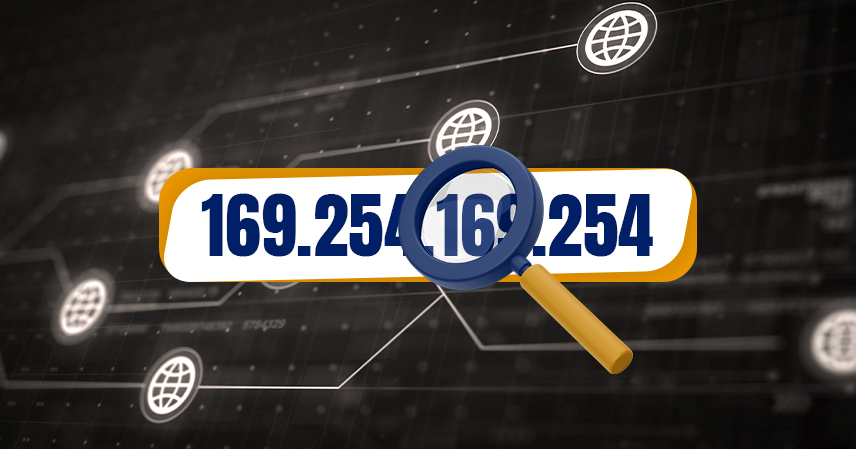
- IPv4: The older standard, written as four numbers separated by periods (like 192.168.1.1). It supports about 4.3 billion unique addresses, which sounded like plenty in the 1980s but isn’t enough for today’s number of connected devices.
- IPv6: The newer standard, written as a longer string of numbers and letters separated by colons. It was built to solve the shortage by supporting an effectively unlimited number of addresses.
- Why both still exist: Most networks run a mix of the two during the transition period, so your device may use both an IPv4 and an IPv6 address depending on what the network and the website you’re visiting support.
Public vs Private IP Addresses
Not all IP addresses do the same job. Some identify your entire network to the outside world, while others only matter inside your home or office.
- Public IP address: Assigned by your ISP, this is the address your home network uses to communicate with the wider internet. It’s visible to websites and services you connect to.
- Private IP address: Assigned by your router, this identifies each device inside your local network. It’s not visible outside your home, which is one reason multiple devices can share a single public IP address.
- Why the distinction matters: Your private IP address is what a router uses to route traffic correctly inside your home, while your public IP address is what a remote server, like a cloud provider hosting a file you’re accessing through cloud storage, sees when it responds to your request.
Static vs Dynamic IP Addresses
IP addresses can also be classified by how often they change.
- Dynamic IP address: Changes periodically, usually assigned fresh each time your device reconnects to a network. This is the default for most home internet connections and mobile devices.
- Static IP address: Stays fixed and doesn’t change over time. Businesses and servers often use static addresses because a consistent address makes it easier to host a website, run a mail server, or maintain reliable remote access.
- Which one do you have? Most home users are on dynamic addresses by default, and getting a static one usually requires requesting it directly from your ISP, often for an added fee.
Why Your IP Address Matters for Privacy and Security
Your public IP address reveals more than most people realize. It can indicate your general geographic location, which is why streaming services restrict certain content by region and why a website might automatically show you results in your local language. It’s also one of the pieces of information websites and services log when you connect, which is part of how basic fraud detection and account security systems work behind the scenes.
This is also why IP-based checks show up in everyday security tools. When a service flags a login attempt from an unfamiliar location, it’s often comparing the new request’s IP address against your usual pattern, a layer of protection that works alongside habits like enabling two-factor authentication on your accounts. Neither one replaces the other, but together they make it significantly harder for someone else to access your accounts even if they know your password.
It’s worth being clear about what an IP address does not reveal. It doesn’t expose your name, your exact street address, or the contents of what you’re sending. Services like VPNs work by masking your public IP address, routing your traffic through a different server so that websites see the VPN’s address instead of your own, which is a common privacy tool rather than a way to hide illegal activity, despite how it’s sometimes portrayed.
How to Find Your Own IP Address
If you want to see your own IP address, the process differs slightly depending on whether you’re looking for your public or private address.
- To find your public IP address, search “what is my IP” in any browser, and a search engine will display it directly.
- To find your private IP address on Windows, open Command Prompt and type ipconfig, then look for the line labeled IPv4 Address.
- To find your private IP address on macOS, go to System Settings, select Wi-Fi or Network, and click on your active connection’s details.
- To find your private IP address on a phone, check your Wi-Fi settings and tap on the network you’re connected to for its details.
Common Misconceptions About IP Addresses
A few myths about IP addresses tend to stick around. One is that an IP address is a permanent, personal identifier tied to you specifically, whereas in most cases it’s tied to your network connection and changes over time. Another is that hiding your IP address makes you completely anonymous online, when in reality, other tracking methods, like cookies and account logins, can still identify you even if your IP address is masked. Understanding these limits helps set realistic expectations about what privacy tools like VPNs can and can’t do.
The Bottom Line
An IP address is a simple but essential piece of internet infrastructure: a numerical label that lets devices find each other and exchange information. Knowing the difference between public and private, static and dynamic, and IPv4 and IPv6 won’t just satisfy curiosity; it gives you a clearer picture of how your devices connect, what information they share, and where basic privacy and security practices actually come into play. It’s one more piece of the puzzle in understanding how the systems you use every day, from your cloud computing tools to the apps that quietly send requests to servers through an API, actually work under the hood.