Building a personal tech stack is one of the smartest decisions you can make in 2026. Whether you’re a student, creator, entrepreneur, remote worker, or aspiring tech professional, the right combination of digital tools can dramatically improve your productivity, organization, and security. If you’re just starting, make sure you understand the basics first in our Tech Fundamentals Explained: The Concepts Every Beginner Should Understand.
In this complete beginner’s guide, you’ll learn:
- What is a personal tech stack
- Why do you need one
- The essential tools every beginner should use
- How to choose the right apps
- How to build a scalable digital workflow
By the end, you’ll have a fully structured beginner tech stack setup you can implement immediately. You can also align your setup with your goals using our How to Start a Career in Tech (2026 Beginner Roadmap).
What Is a Personal Tech Stack?
A personal tech stack is the collection of software, apps, and digital tools you use daily to manage your: Communication, Productivity, File storage, Security, Learning, Automation, and Content creation.
Think of it as your digital operating system for life and work. Instead of randomly downloading apps, you intentionally build a streamlined tech ecosystem that works together. This concept is part of a larger ecosystem explained in our Tech Insights: Trends Shaping the Future of Technology.
Why Every Beginner Needs a Personal Tech Stack
Without a defined tech stack, most people experience application overload, disorganized files, missed deadlines, weak digital security, and Scattered notes/ideas.
A properly built beginner personal tech stack helps you save time, increase productivity, improve digital security, stay organized, automate repetitive tasks, and reduce mental clutter. Modern tools (especially AI) can significantly enhance this, as shown in our AI Productivity Tools Guide. In short, your tools should work for you and not against you.
Step 1: Start With Core Productivity Tools
Your productivity system is the foundation of your personal tech stack.
1. Email Platform: Choose one primary email provider and stick to it (Gmail, Outlook, etc). Some best practices include using labels/folders, creating filters, and enabling 2-factor authentication. Choosing the right tools depends on your workflow — see our Best Laptops and Tools for Tech Students and Creators (2026 Guide).
2. Calendar & Scheduling: Your calendar is your command center. Recommended tools: Google Calendar and Calendly. Tips include time-blocking your day, color-coding categories, and syncing across devices. You can integrate these tools with automation systems covered in our AI Productivity Guide.
3. Task Management System: Every beginner needs a task management app. Some popular options include Todoist, Trello, and Notion. Choose ONE. Avoid tool hopping. These tools become even more powerful when combined with workflows from our Tech Career Roadmap Guide.
Step 2: Build Your File Storage & Cloud System
Your files should never live only on your laptop. Some examples of Cloud Storage Tools include Google Drive, Dropbox, and OneDrive. To understand how cloud systems are evolving, read our Tech Insights 2026 guide.
Best beginner setup:
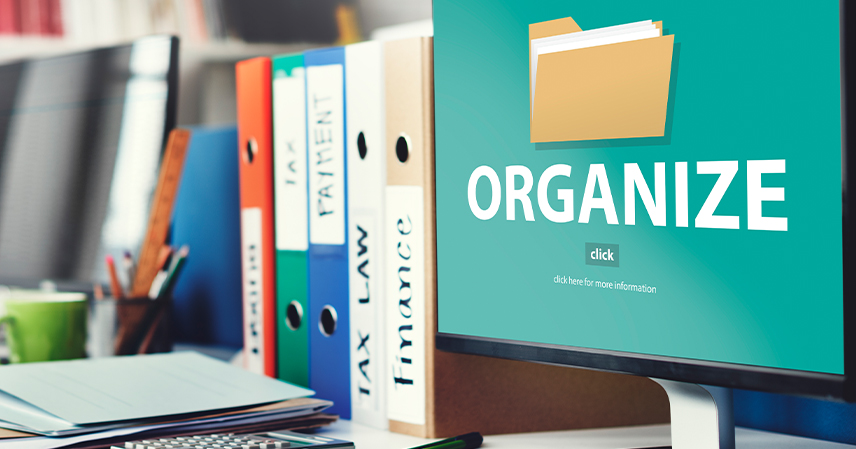
- Create main folders:
- Personal
- School/Work
- Finance
- Projects
- Use consistent file naming like YYYY-MM-DD_ProjectName_V1. Cloud systems are a major part of modern infrastructure, as explained in our Tech Fundamentals Guide.
Step 3: Secure Your Personal Tech Stack
Security is not optional in 2026; it should be at the top of your priority list. Cybersecurity is one of the fastest-growing fields — explore it in our Tech Career Guide.
1. Password Manager: Never reuse passwords. Tools include 1Password and Bitwarden. Security tools are also covered in our Best Tech Tools Guide.
2. Enable Two-Factor Authentication (2FA): Turn on 2FA (Two-factor authentication) for your Email, Cloud storage, Social media, and banking applications.
3. Basic VPN (Optional but Recommended): Tools include Proton and NordVPN.
Step 4: Add AI Tools to Your Personal Tech Stack
AI is now part of every modern tech stack. Writing & Research tools include ChatGPT and Grammarly, while Research tools include Perplexity. Use cases of AI include automating repetitive writing, drafting emails, summarizing research, and brainstorming ideas. These tools are reshaping workflows discussed in our Tech Insights pillar. To go deeper, explore our Ultimate Guide to AI Productivity Tools for Students and Professionals.
Step 5: Communication & Collaboration Tools
If you work remotely or in teams, these are essential. Tools like Slack, Zoom, and Microsoft Teams help, but remember to keep communication tools separate from personal apps to avoid distraction. These tools are essential for remote careers discussed in our Tech Career Roadmap.
Step 6: Automation & Workflow Optimization
Automation saves hours every week. Beginner automation tools include Zapier and IFTTT. Some activities include automatically saving email attachments to cloud storage, creating tasks from starred emails, and backing up photos instantly. You can build more advanced workflows using tools in our AI Productivity Guide.
Step 7: Optional Add-Ons Based on Your Goals
Your personal tech stack should evolve. For students, you can explore Notability and Google Docs. Creator can explore Canva and Capcut while developers explore Visual Studio Code and GitHub. To build your own platform, follow our Complete Beginner’s Guide to Building a WordPress Website.
How to Choose the Right Tools (Without Overwhelm)
Follow this simple framework:
- Start free
- Choose tools that integrate
- Avoid duplicates
- Prioritize security
- Review your stack every 6 months
Your goal is not to use the most tools. Your goal is to use the right tools consistently. You can also evaluate tools more effectively using insights from our Tools & Reviews Guide.
Example Beginner Personal Tech Stack (Simple Setup)
Here’s a clean starting stack:
- Email: Gmail
- Calendar: Google Calendar
- Tasks: Notion
- Storage: Google Drive
- Passwords: Bitwarden
- AI: ChatGPT
- Automation: Zapier
That’s it. Simple. Powerful. Scalable.
Common Mistakes Beginners Make include, but are not limited to:
- Installing too many apps
- Ignoring security
- Not organizing cloud folders
- Switching tools every month
- Not backing up files
Avoid these, and your tech stack will stay clean and efficient.
Final Thoughts: Build Once, Improve Continuously
Your personal tech stack setup is not about perfection. It’s about creating a digital foundation that supports your goals. Start small, stay consistent, and upgrade gradually. In 6 months, you’ll be operating at a completely different level. Continue improving by exploring our AI Productivity, Web Skills, and Career Guides.