

If you’re new to technology, it can feel overwhelming. Terms like cloud computing, APIs, cybersecurity, and machine learning are everywhere — but rarely explained clearly.
This guide breaks down tech fundamentals for beginners in a simple, structured way. By the end, you’ll understand the core technology concepts that power computers, websites, apps, cloud platforms, and modern digital systems.
Whether you’re exploring a tech career, launching a tech blog, studying IT, or simply improving your digital literacy, these are the foundations you must understand. If your goal is to turn this knowledge into a profession, follow our How to Start a Career in Tech (2026 Beginner Roadmap).
What Are Tech Fundamentals?
Tech fundamentals for beginners refer to the essential concepts that explain how computers, software, networks, cloud systems, and digital applications work together. They include:
- Hardware and software basics
- Operating systems
- The Internet and how the web works
- Frontend vs backend development
- Databases
- Cloud computing basics
- Cybersecurity fundamentals
- Artificial intelligence basics
- Networking principles
Mastering these computer fundamentals makes learning advanced topics significantly easier. Once you understand these basics, you can start applying them using our Beginner Guide to Setting Up Your Personal Tech Stack.
Hardware vs Software Explained
Understanding the difference between hardware and software is the first step in learning technology basics.
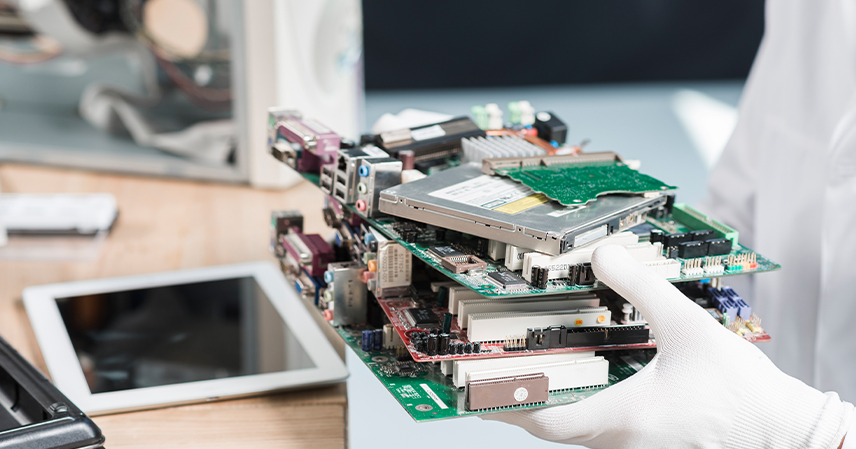
Hardware (The Physical Components): Hardware includes the tangible parts of a computer: CPU (processor), RAM (memory), Storage (SSD/HDD), Motherboard, Network devices (routers, switches), and Hardware (performs physical operations and executes instructions).
Software (The Instructions): Software tells hardware what to do. It includes: Operating systems, Applications, Web browsers, and Mobile apps. Without software, hardware is useless. Without hardware, software cannot function. This relationship is central to all IT fundamentals. To choose the right devices for your setup, see our Best Laptops and Tools for Tech Students and Creators (2026 Guide).
Operating Systems and Why They Matter
An operating system (OS) manages hardware and software resources. It acts as the bridge between the user and the machine. Popular operating systems include: Microsoft Windows, macOS, Linux, Android, and iOS.
Operating systems handle: File management, Memory allocation, Process scheduling, Device drivers, and Security permissions. If you’re learning computer fundamentals, understanding how operating systems work is essential. You can apply this knowledge practically using our Tech Tutorials: Personal Tech Stack Setup Guide.
How the Internet and Web Actually Work
Many beginners confuse the internet with the web. They are not the same.
The Internet: The Internet is a global network of interconnected computers.
The Web (World Wide Web): The web is a service that runs on the internet using HTTP/HTTPS protocols, browsers, and Web servers.
When you type a website address:
- DNS converts the domain into an IP address.
- Your browser sends a request to a server.
- The server responds with HTML, CSS, and JavaScript files.
- Your browser renders the page.
Understanding how the internet works is a core part of technology basics explained. You can put this into practice by building your own site using our Complete Beginner’s Guide to Building a WordPress Website.
Frontend vs Backend Development Explained
Modern applications are divided into two main components.
Frontend (Client-Side): The frontend is what users see and interact with: Layout, Buttons, Forms, Visual design, and Animations. Common technologies: HTML, CSS, and JavaScript.
Backend (Server-Side): The backend powers the logic behind the scenes: Databases, Authentication, APIs (Application Programming Interface), and Business logic. Common backend languages: Python, Java, Node.js, and PHP.
Understanding frontend vs backend is crucial for anyone studying IT fundamentals for beginners.
Databases: Where Data Is Stored
Applications need to store and retrieve information efficiently. That’s where databases come in.
Relational Databases: Structured tables, use SQL (Structured Query Language), and are ideal for structured data. Examples include MySQL and PostgreSQL.
NoSQL Databases: Flexible schemas, store data as JSON-like documents, and are designed for scalability. Examples include MongoDB and Firebase.
Every login, comment, purchase, and app interaction depends on databases. These systems are widely used in modern applications discussed in our Tech Insights: Trends Shaping the Future of Technology.
Cloud Computing Basics for Beginners
Cloud computing allows companies to use remote servers instead of maintaining physical hardware. Major cloud providers include: Amazon Web Services, Microsoft Azure, and Google Cloud.
Cloud computing basics include:
- On-demand computing power
- Scalable storage
- Global infrastructure
- Pay-as-you-go pricing
Today, most modern applications run in the cloud. Learning the basics of cloud computing is no longer optional for beginners. To understand how cloud trends are evolving, see our Tech Insights 2026 guide.
APIs: How Applications Communicate
API stands for Application Programming Interface. APIs allow different software systems to communicate with each other. For example:
- A weather app retrieves data from a weather API.
- A payment system connects to a payment processor via API.
- Social media apps connect to third-party services using APIs.
APIs are foundational in modern software architecture. If you’re exploring backend development or app creation, understanding APIs is critical. You can see real-world use cases in our Tech Tutorials series.
Cybersecurity Basics Everyone Should Know
Security is not just for specialists. It is part of core tech fundamentals for beginners. Key cybersecurity basics include: Encryption, Authentication, Authorization, Firewalls, and Multi-Factor Authentication (MFA).
Cybersecurity fundamentals also include good digital hygiene: using stronger passwords, keeping software updated, and recognizing phishing attempts. As technology advances, cybersecurity knowledge becomes increasingly important. If you’re considering this path, explore opportunities in our Tech Career Beginner Roadmap.
AI Fundamentals and Machine Learning Basics
Artificial Intelligence (AI) refers to systems that perform tasks requiring human-like intelligence. Machine Learning (ML) is a subset of AI where systems learn from data. Examples include: Recommendation engines, Chatbots, Image recognition, and Predictive analytics.
Tools like ChatGPT have made AI fundamentals more visible to everyday users. Understanding the basics of AI is now part of modern technology literacy. You can start using these tools effectively with our Ultimate Guide to AI Productivity Tools for Students and Professionals.
Networking Basics for IT Beginners
Networking enables devices to communicate with each other. Important networking concepts include: IP address, Router, Switch, LAN vs WAN, and TCP/IP protocol. If you plan to pursue IT, cloud, or cybersecurity roles, networking basics are essential. You can apply these skills through hands-on setups in our Personal Tech Stack Guide.
Why Learning Tech Fundamentals Matters in 2026
Technology evolves quickly — but the foundations remain consistent. When you understand tech fundamentals for beginners:
- You evaluate tools more intelligently
- You understand tech news clearly
- You learn programming faster
- You adapt to new technologies more easily
- You build stronger digital projects
Whether you’re entering tech professionally or building a media platform like Demystify Byte, these core technology concepts create your foundation. To stay updated on how these concepts evolve, read our Tech Insights pillar.
Final Thoughts
Technology isn’t magic. It’s built on systems, protocols, and structured logic. Mastering technology basics explained in this guide gives you:
- A framework for understanding modern digital systems
- A launchpad for advanced learning
- A competitive edge in tech-driven industries
Every expert once started with the fundamentals. Now you have yours. Your next step is to apply this knowledge through our Tech Tutorials, Career Guides, and Web Skills resources.

Fantastic article that saved me a lot of time researching.
This is easily one of the most useful sites I’ve found.